Overview
Menu Engineering uses AI to analyze your menu items’ profitability and popularity. It helps you make data-driven d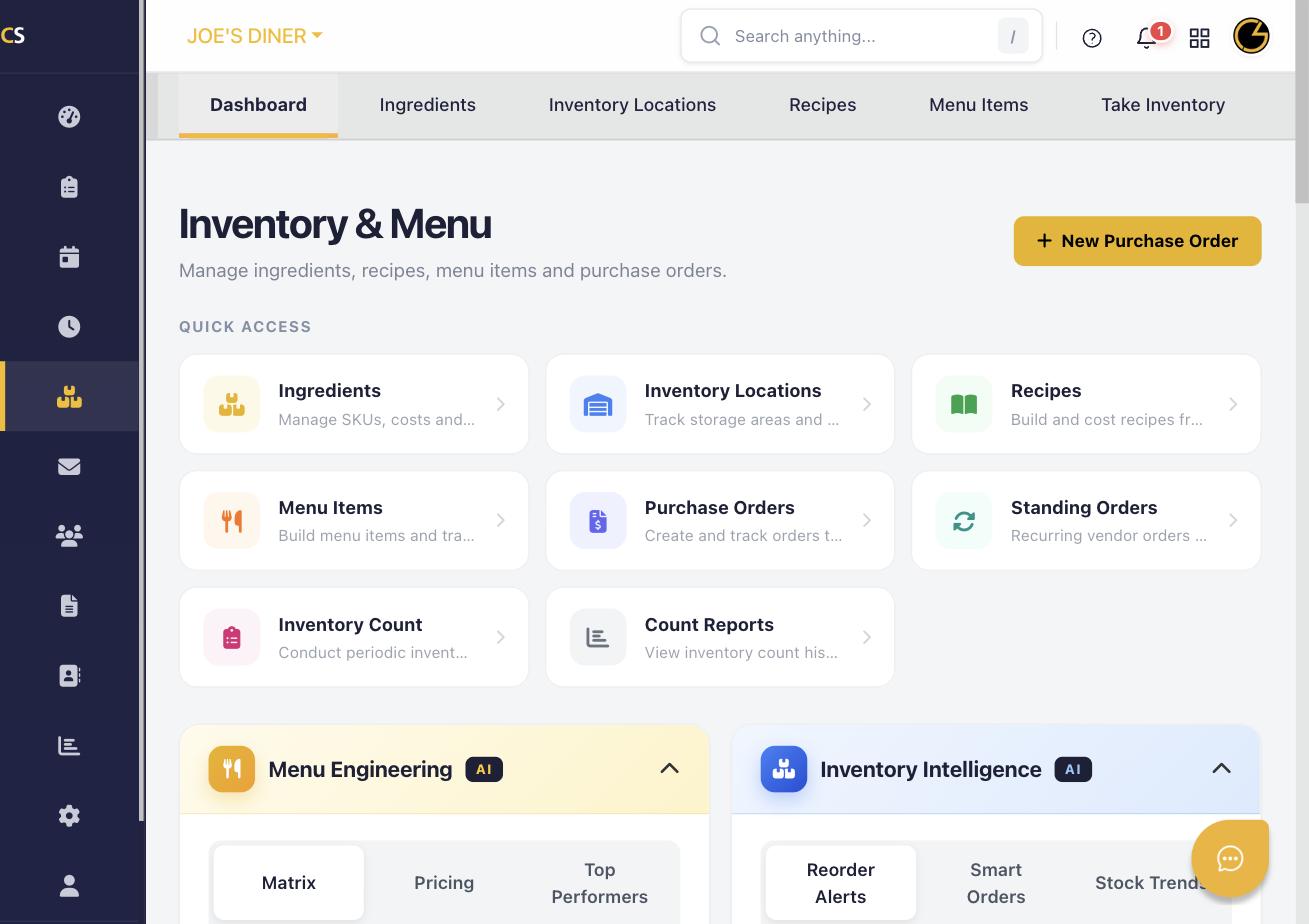 ecisions about pricing, promotions, and which items to keep, modify, or remove.
Step 1: Navigate to Menu Engineering
Click Inventory & Menu in the left sidebar. On the Inventory dashboard, you will see the Menu Engineering panel with AI badge. Click on it to expand or enter the module.
Step 2: Review the Matrix
The Matrix tab plots your menu items by profitability vs. popularity into four quadrants: Stars (high profit, high popularity), Plowhorses (low profit, high popularity), Puzzles (high profit, low popularity), and Dogs (low profit, low popularity).
Step 3: Analyze Pricing
Click the Pricing tab to see AI-suggested price adjustments for each menu item based on current cost, margin, and market benchmarks. Review the recommended changes.
Step 4: Review Top Performers
Click Top Performers to see your highest-grossing and most-ordered menu items. Use this data to feature these items prominently on your menu or in promotions.
Step 5: Apply AI Recommendations
For each item, you can accept pricing suggestions or take action based on its quadrant placement — such as promoting Puzzles, repricing Plowhorses, or phasing out Dogs.
Step 6: Connect Your POS
For the most accurate Menu Engineering analysis, ensure your POS is connected to CheddrSuite. Sales data from the POS automatically populates the popularity metrics for each menu item.
Was this article helpful?
That’s Great!
Thank you for your feedback
Sorry! We couldn't be helpful
Thank you for your feedback
Feedback sent
We appreciate your effort and will try to fix the article