Overview
Inventory Intelligence uses AI to monitor your stock levels, predict reorder needs, and identify waste and usage 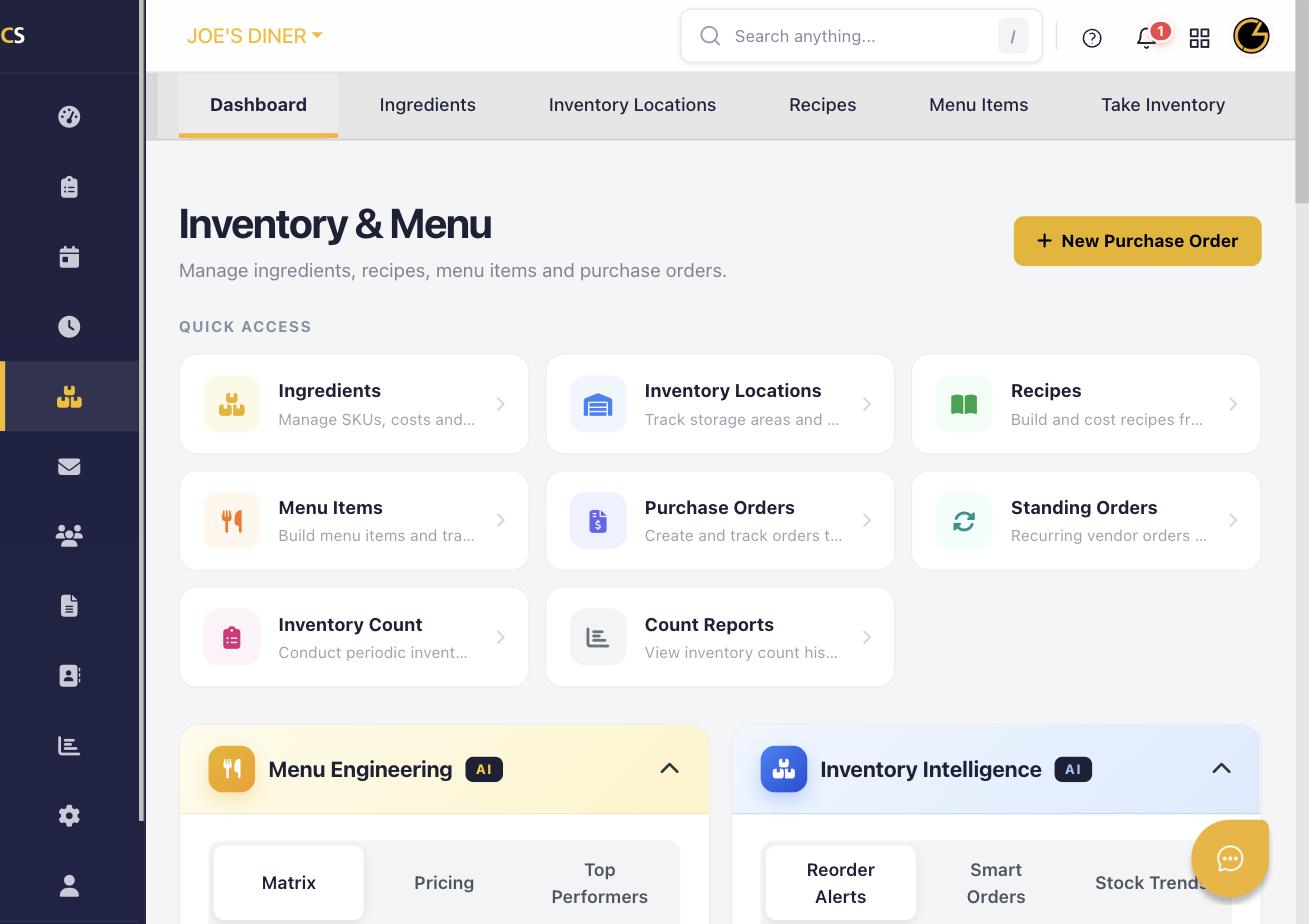 trends. It helps you maintain optimal inventory without over-ordering or running out of key items.
Step 1: Navigate to Inventory Intelligence
Click Inventory & Menu in the left sidebar. On the dashboard, find the Inventory Intelligence panel (AI badge) in the lower section and expand it.
Step 2: Check Reorder Alerts
The Reorder Alerts tab shows ingredients that are at or below their par level. Review the list and click Create PO next to any item to quickly generate a purchase order.
Step 3: Use Smart Orders
Click the Smart Orders tab to see AI-suggested purchase quantities based on your historical usage and current stock. These suggestions help you order just the right amount to minimize waste.
Step 4: Review Stock Trends
Click Stock Trends to see usage patterns over time for your key ingredients. Identify seasonal fluctuations and plan purchasing accordingly.
Step 5: Identify Waste and Variance
Review variance reports in Count Reports to compare theoretical usage (based on sales) vs. actual usage (from inventory counts). Large variances may indicate waste, portioning issues, or shrinkage.
Step 6: Act on AI Recommendations
Use the AI insights to adjust your par levels, order quantities, and recipes. Over time, the AI learns your patterns and provides increasingly accurate recommendations.
Was this article helpful?
That’s Great!
Thank you for your feedback
Sorry! We couldn't be helpful
Thank you for your feedback
Feedback sent
We appreciate your effort and will try to fix the article